12306 is China's official rail booking channel — it works, and in 2026 it takes foreign cards and a passport with no Chinese account. But it was built for Chinese residents, so foreigners still hit friction: foreign-card declines, a passport-upload review, and an English localization with rough edges. If this guide's flow stalls for you, Trip.com resells the same tickets at the same face fare — no booking fee — with cleaner English UX and more reliable foreign-card checkout. Use 12306 first — switch only if it frustrates you.
Affiliate disclosure: we earn a small commission on Trip.com bookings. The friction and the convenience are both real.
What 12306 actually is
12306 (shí-èr-sān-líng-liù) is China Railways' official booking system — app, website, and in-station machines. It is the only source of tickets; every third-party reseller (Trip.com, Klook, Ctrip, WeChat mini-apps) pulls inventory from the same 12306 pool. Trip.com resells it at the same face fare with no booking fee; a reseller's value is saving you from a handful of friction points described below.
The app is bilingual: the default is Chinese, but there is a full English mode that covers booking, payment, refunds, and passenger-profile management.
Before you start — what you need
- A passport (the name must match what you book, including middle names or not).
- An email address and a phone number (international numbers work).
- A card — Visa, Mastercard, JCB or Diners Club (there is also a China UnionPay option; American Express is not accepted). Foreign-card declines are common, so if all of these fail you can pay with a linked Alipay/WeChat or book that ticket on Trip.com.
- Your travel date and route. Seats open exactly 15 days before departure. Booking earlier is impossible.
Phase A — Register
Registration has five sub-steps. The key shortcut: use the passport scan on the register screen to auto-fill your name, number, and expiry — skipping manual typing that is the single biggest source of name-mismatch errors later.
A1. Download the app
Search "China Railway 12306" (publisher: China Railway Information Technology Center) on the App Store or Google Play. The listing shows a red-on-teal logo and is rated "Everyone" with 1M+ downloads.
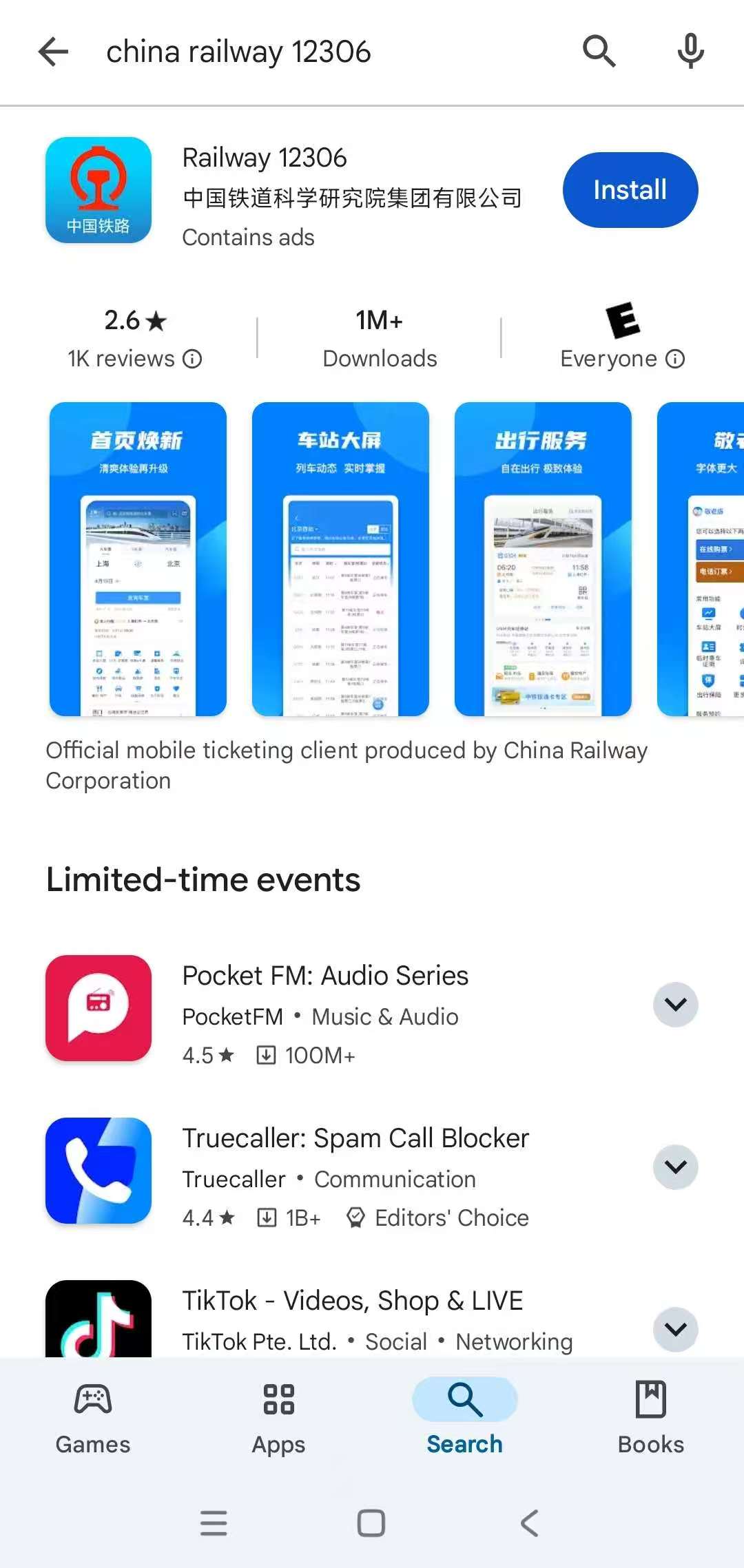

Beware of lookalikes. "12306 Railway", "China Train Tickets", and similar knock-offs are resellers with worse UI and markup. The genuine app has the name 铁路12306 in Chinese and shows a publisher with "China Railway" (not a private studio). If the app opens in Chinese by default, there's an English toggle inside the Me tab → settings icon → Language.
A2. Agree to the privacy terms on first launch
The first time you open the app, a full-screen Guidelines for the Protection of Personal Information popup appears. Scroll through if you want to read it, then tap AGREE. Tapping Quit closes the app.
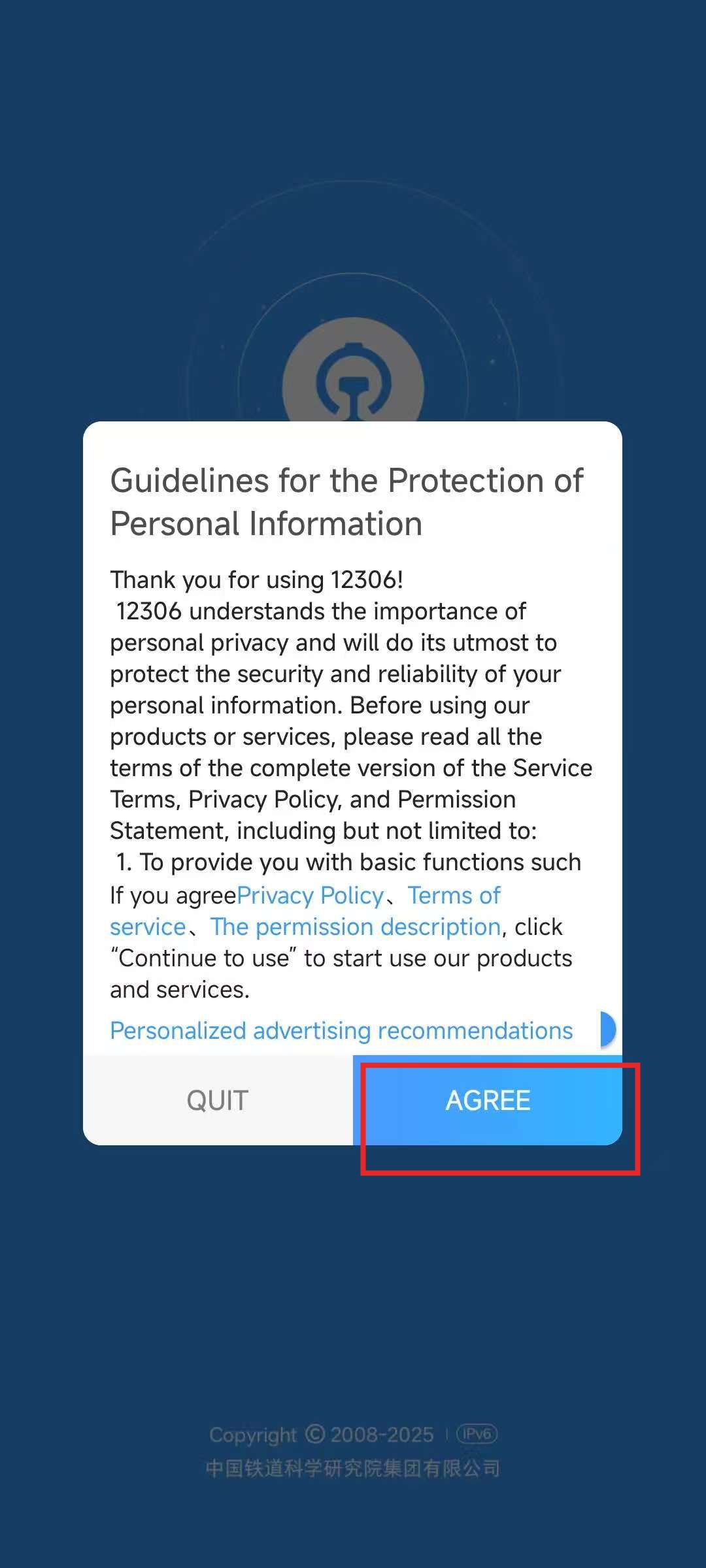
A3. Open the Me tab to start registration
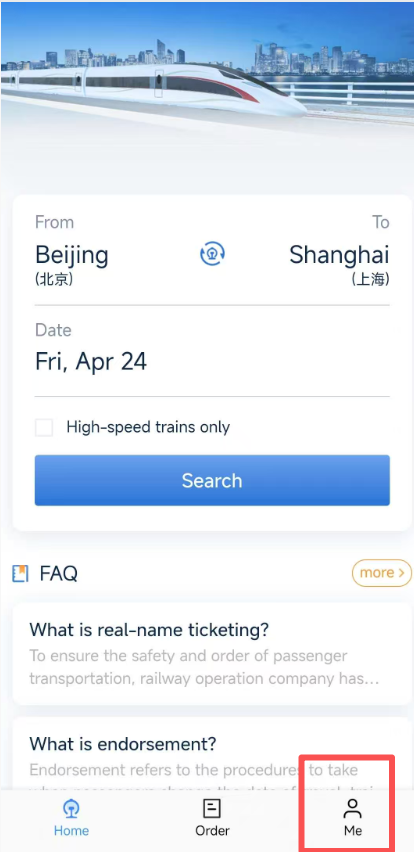
After agreeing, you land on the home search screen. Tap the Me tab at the bottom right — that's where login and registration live. From there, tap Register.
A4. Scan your passport to auto-fill (recommended)
On the Register screen, the top of the form shows a Scan/upload ID document for quick entry prompt (marked Recommend). Tap Scan to entry, allow camera access, and hold your passport flat — the app reads the machine-readable zone and auto-fills your name, passport number, nationality, DOB, and expiry.
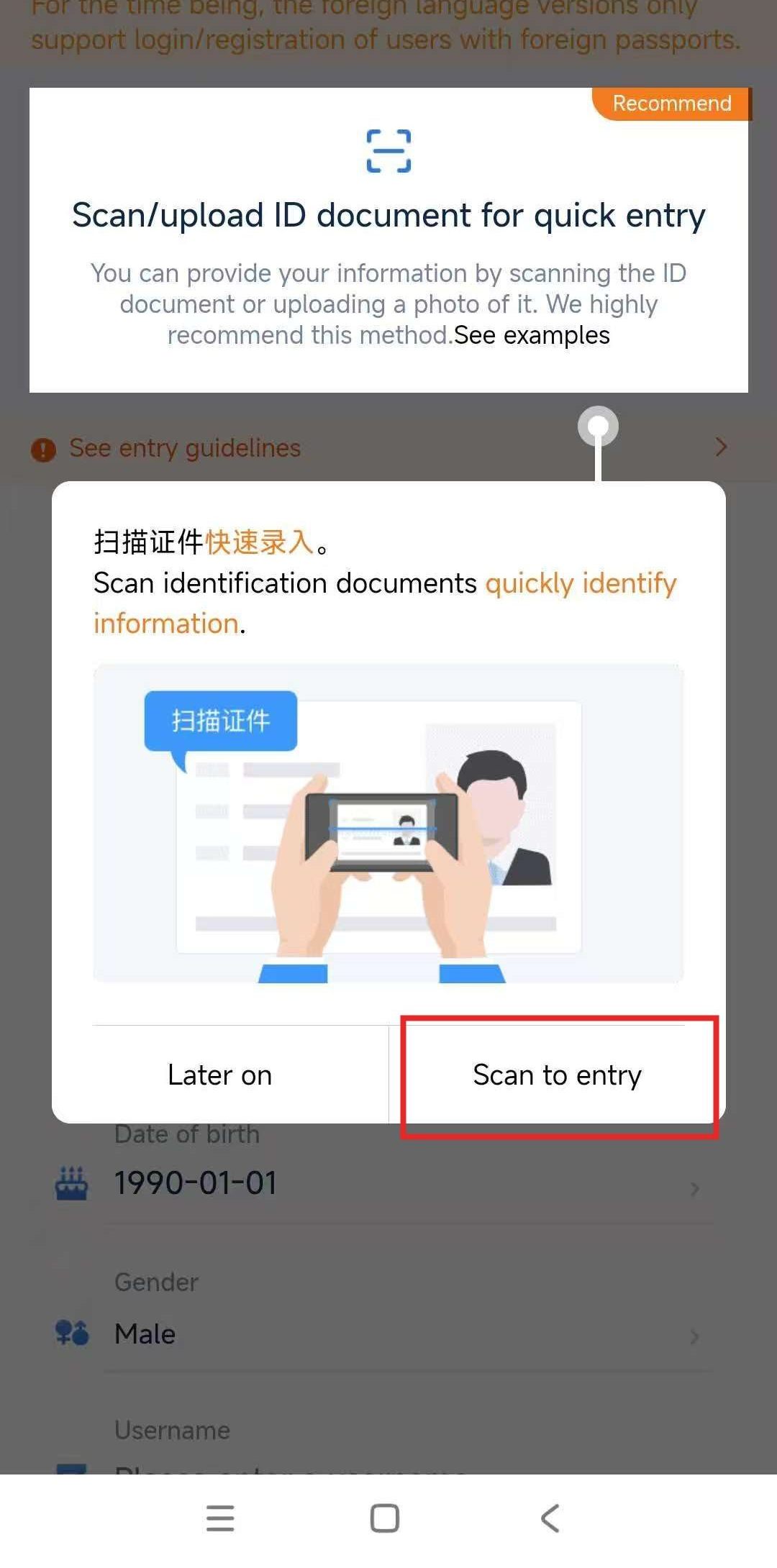
Name exactly as printed. If your passport shows "JOHN MICHAEL SMITH", all three names must be on file. "John" alone will fail the station gate. Review the scanned result against the photo page before submitting — OCR occasionally swaps O/0 or drops a middle name.
A5. Fill the remaining fields and submit
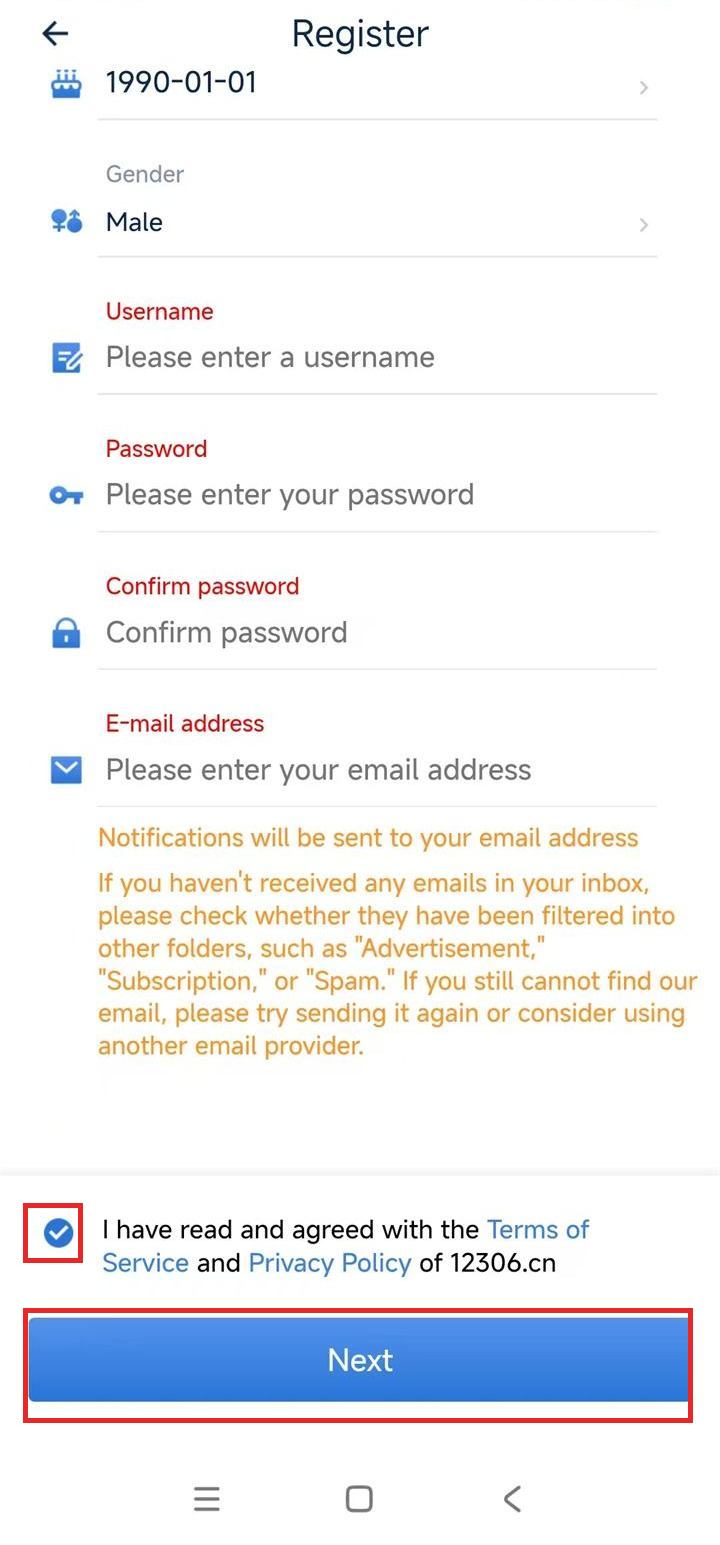
Scroll down to finish: pick a username, set a password, confirm it, and enter your email address (12306 sends notifications here — check Spam / Promotions folders if emails don't arrive). Tick the Terms of Service and Privacy Policy checkbox at the bottom, then tap Next.
Phase B — Verify your identity
Submitting the form creates the account, but 12306 will not let you buy tickets until you complete three verifications: passport/ID, mobile phone, and email. In 2026 this is largely automated and usually clears within a few minutes, but do it immediately — waiting until 15 days before your trip is cutting it fine.
B1. The verification prompt
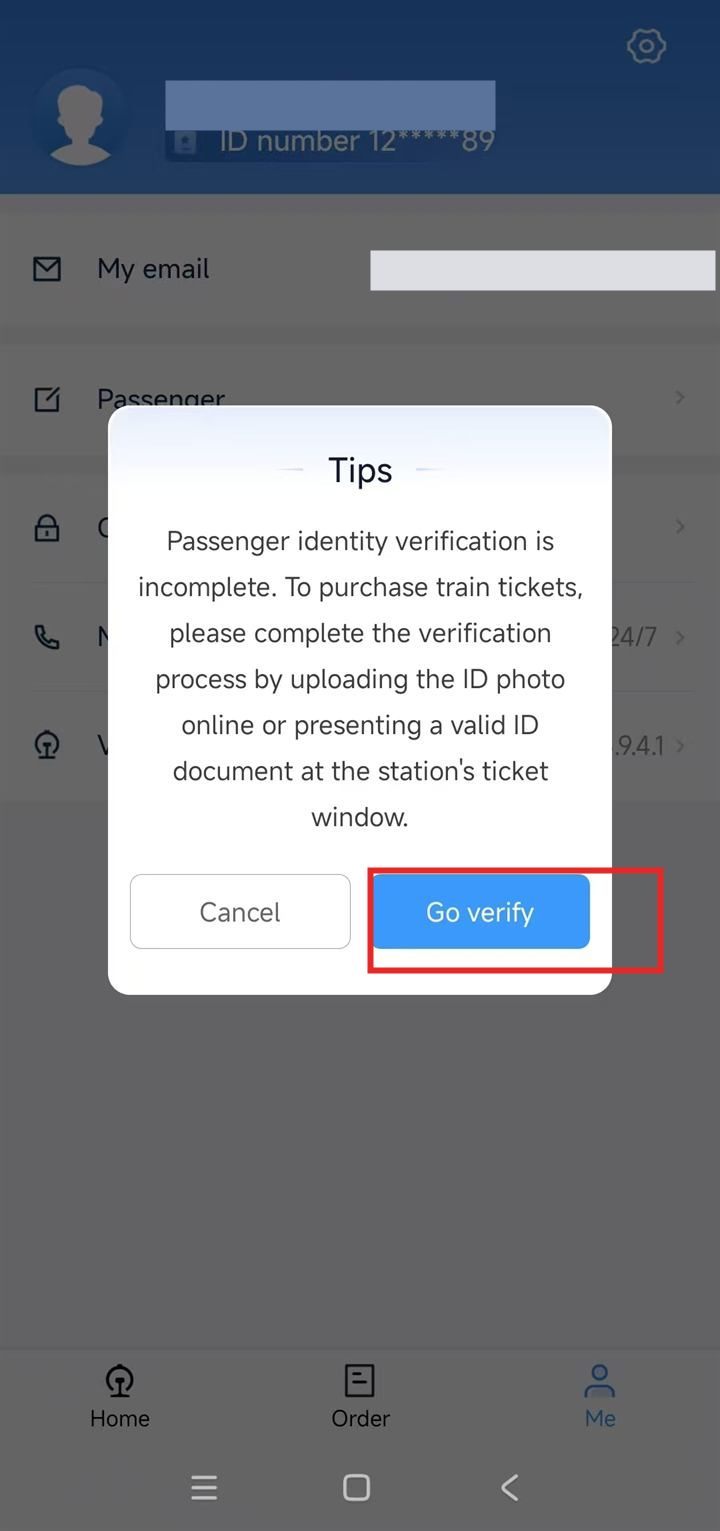
When you try to book, 12306 shows a "Passenger identity verification is incomplete" popup. Tap Go verify — or dismiss it and navigate manually via Me → User information. The popup also mentions you can show a valid ID at the station's ticket window as a fallback.
B2. Verify passport, mobile, and email
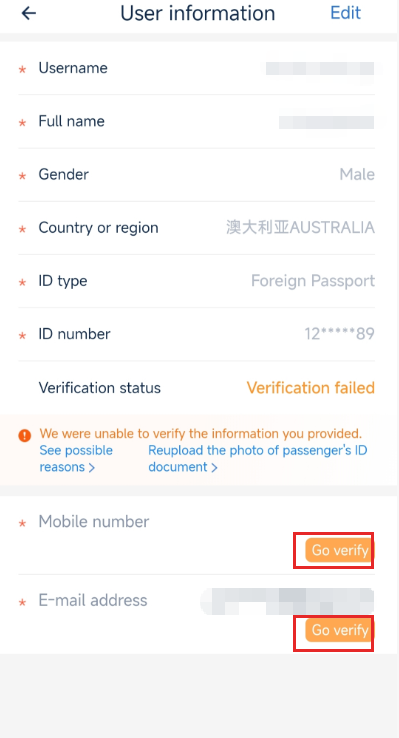
The User information screen lists all three items with a Go verify button next to each. Work through them in any order:
- Passport / ID: upload a clear photo of your passport photo page. In 2026 approval is usually automatic within a few minutes; allow up to ~24 hours for it to sync (occasionally longer on weekends), and re-upload if the status shows Verification failed.
- Mobile number: international numbers work — include the country code, tap Send code, enter the SMS code.
- Email: 12306 sends a verification link — check Spam / Promotions if it's not in your inbox within 2 minutes.
Timing tip: verification is usually quick in 2026, but finish all three at least a day before the 15-day booking window opens for your trip — an unverified account can browse trains but cannot check out, and the passport step is the one that can lag.
Step 4 — Search trains
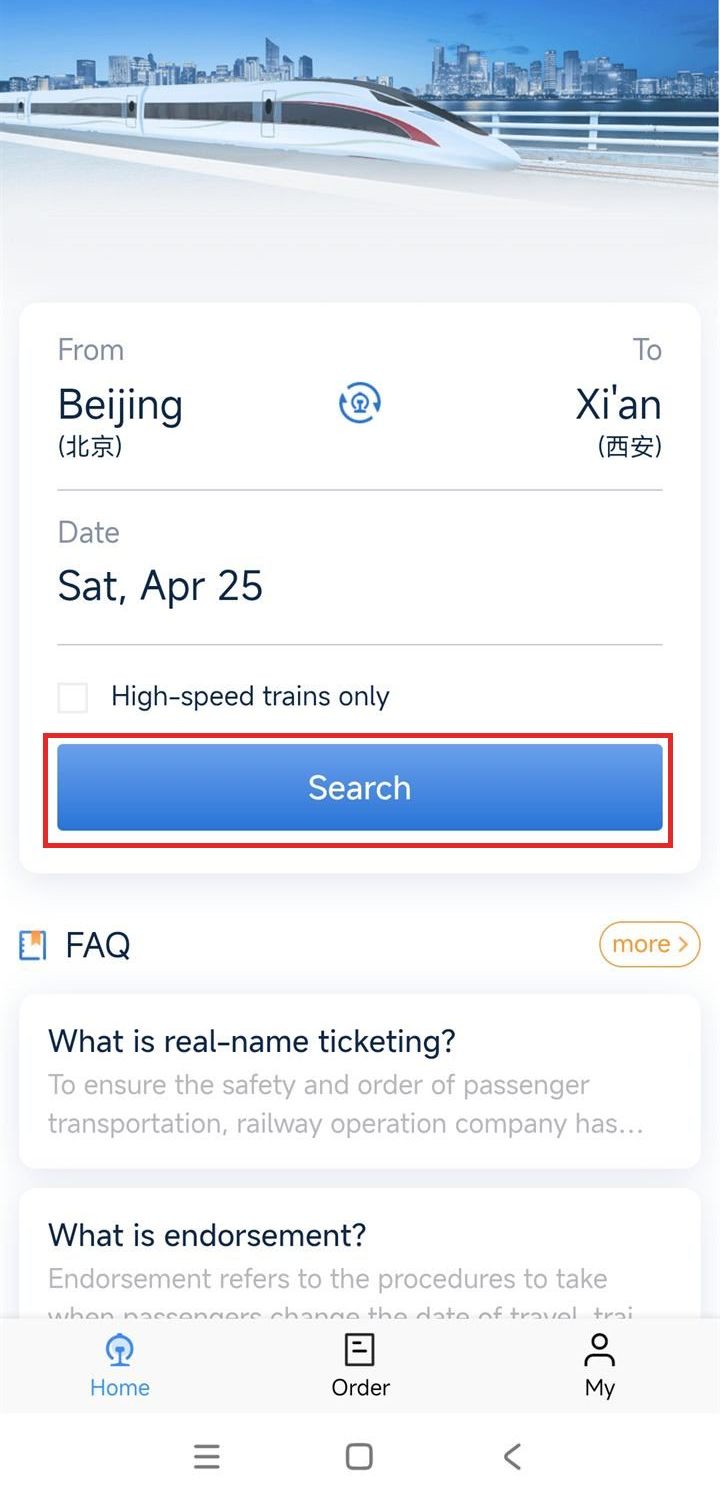
- On the home screen: enter From (e.g. Beijing) and To (e.g. Xi'an).
- Pick your date (can't be more than 15 days ahead).
- Tick High-speed trains only if you want G-class HSR (vs slower D / K trains).
- Tap Search to see the train list.
On the results page, each train card shows the departure time, arrival time, train number (G for HSR), duration, and "From ¥…" starting price. Tap a card to see the seat classes.
Step 5 — Book and pay
The results list shows each train expanded with its seat classes and "Book" buttons. A greyed-out Sold out means that class is gone on that train — pick another class, or scroll for a different train.
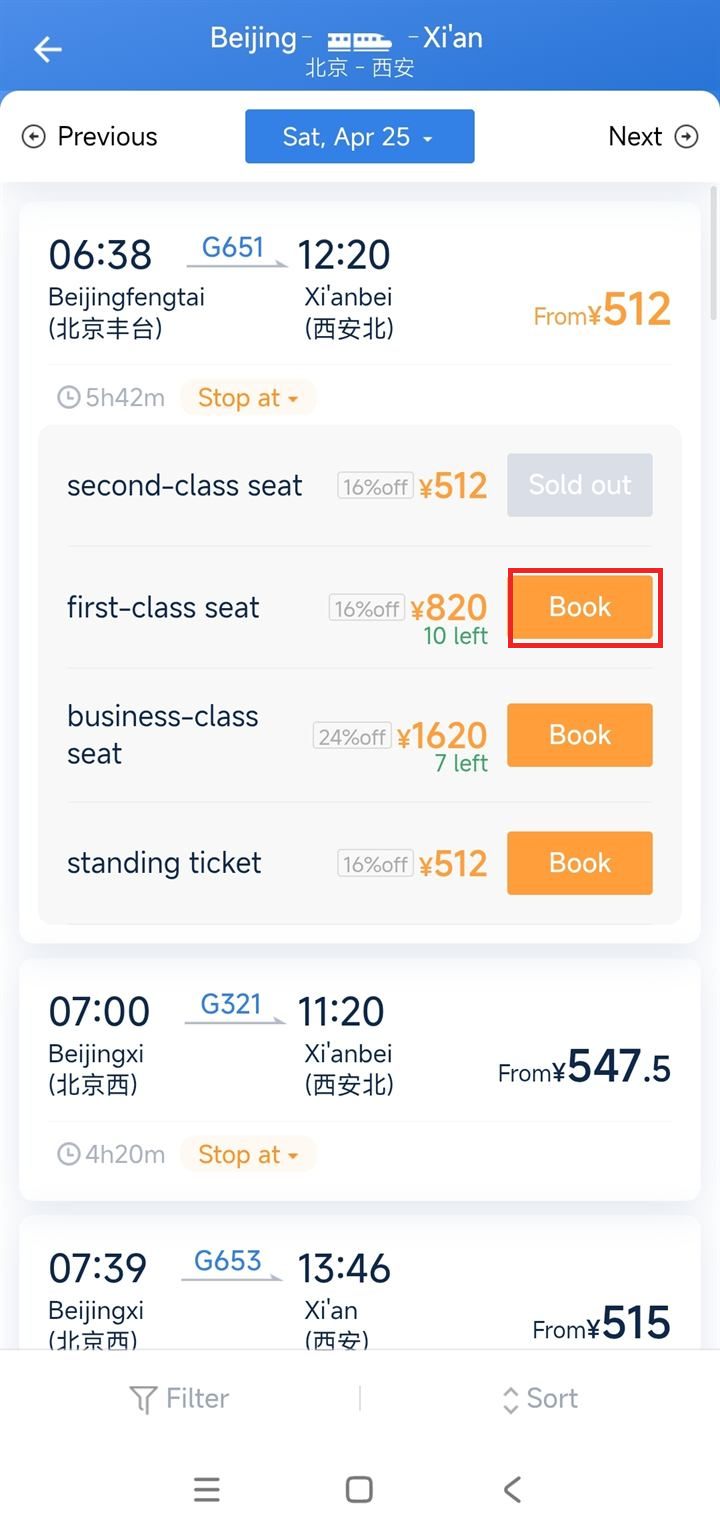
- Tap Book on the seat class you want. Typical prices: 2nd class (standard), 1st class (~50% more), Business class (lie-flat, ~3× 2nd). Standing ticket (无座) is the 2nd-class price but no seat — avoid for trips over 3 hours.
- Select a passenger from your saved list (this is why registration matters).
- Seat selection (window/aisle) happens on the next screen for 1st and Business class.
- Pay. The payment screen shows Alipay, WeChat Pay, and International Card — pick International Card and enter your Visa/Mastercard/JCB/Diners.
- If the card is rejected, try:
- Different network (switch to mobile data if you're on hotel Wi-Fi).
- Call your bank — foreign travel + CNY charge often triggers a fraud hold.
- Pay with a linked Alipay/WeChat, or fall back to Trip.com for this ticket.
- You have 30 minutes to pay before 12306 releases your seat. If you miss the window, re-book.
Step 6 — At the station
Arrive 30 min early at most stations, 45 min at megastations like Beijing West and Shanghai Hongqiao, and 60 min at Hong Kong West Kowloon (for the mainland-side immigration checkpoint).
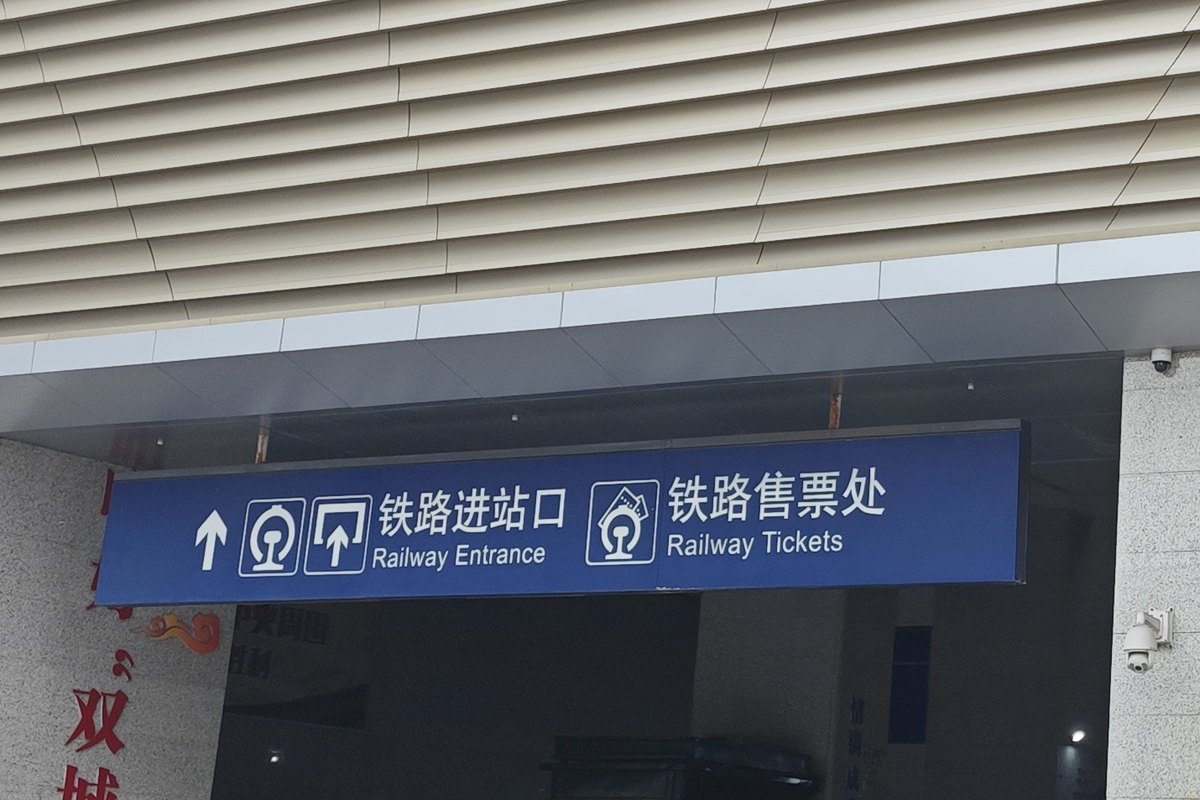
Entering the station — ID check
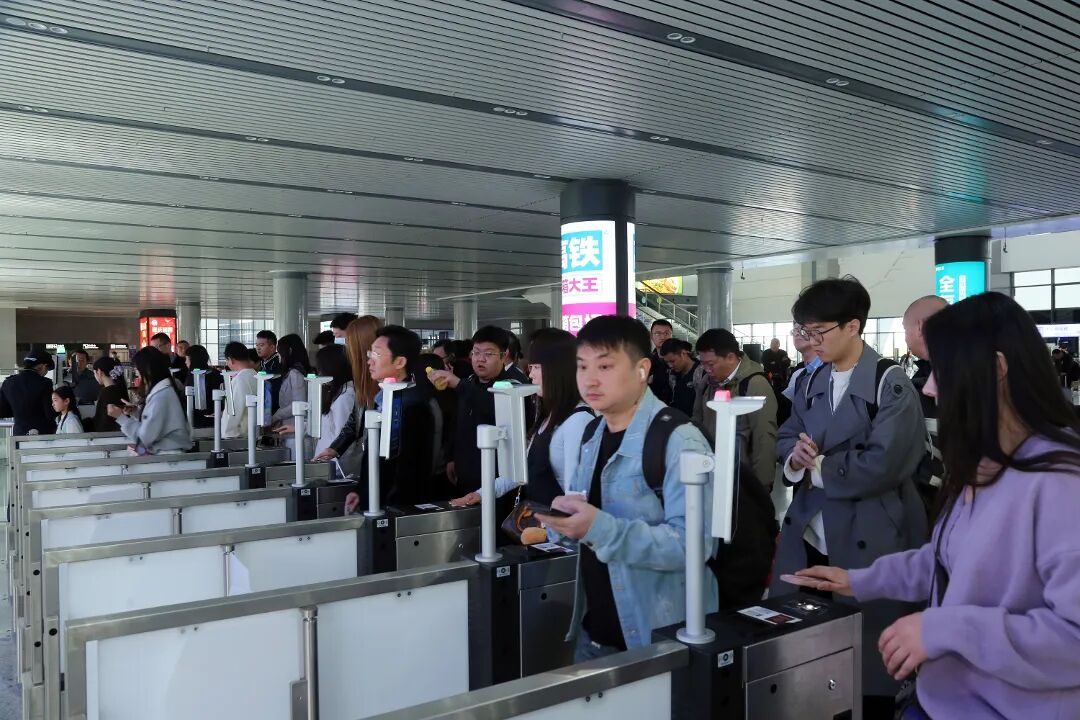
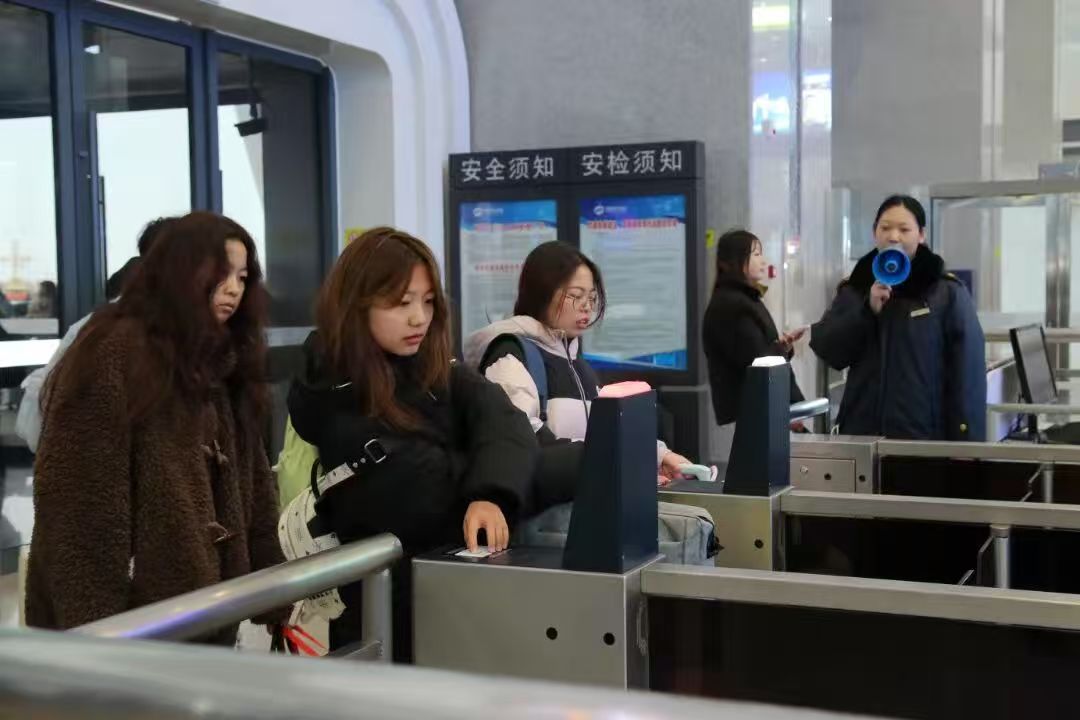
At the main entrance, your passport is both ticket and ID. Whether theself-service lane takes it varies by station: the big interchanges read a passport laid closed on the scanner, while some smaller stations list only mainland, Hong Kong, Macau and Taiwan documents at that channel — the accepted list is printed on the gate itself, so you can check it while you queue. If yours is not on it, thestaffed lane sits beside the gateline and an officer matches the passport against your booking by hand. On our own trips through Chongqing and Chengdu in August 2026 that queue was short enough not to change the 30-minute arrival window above.
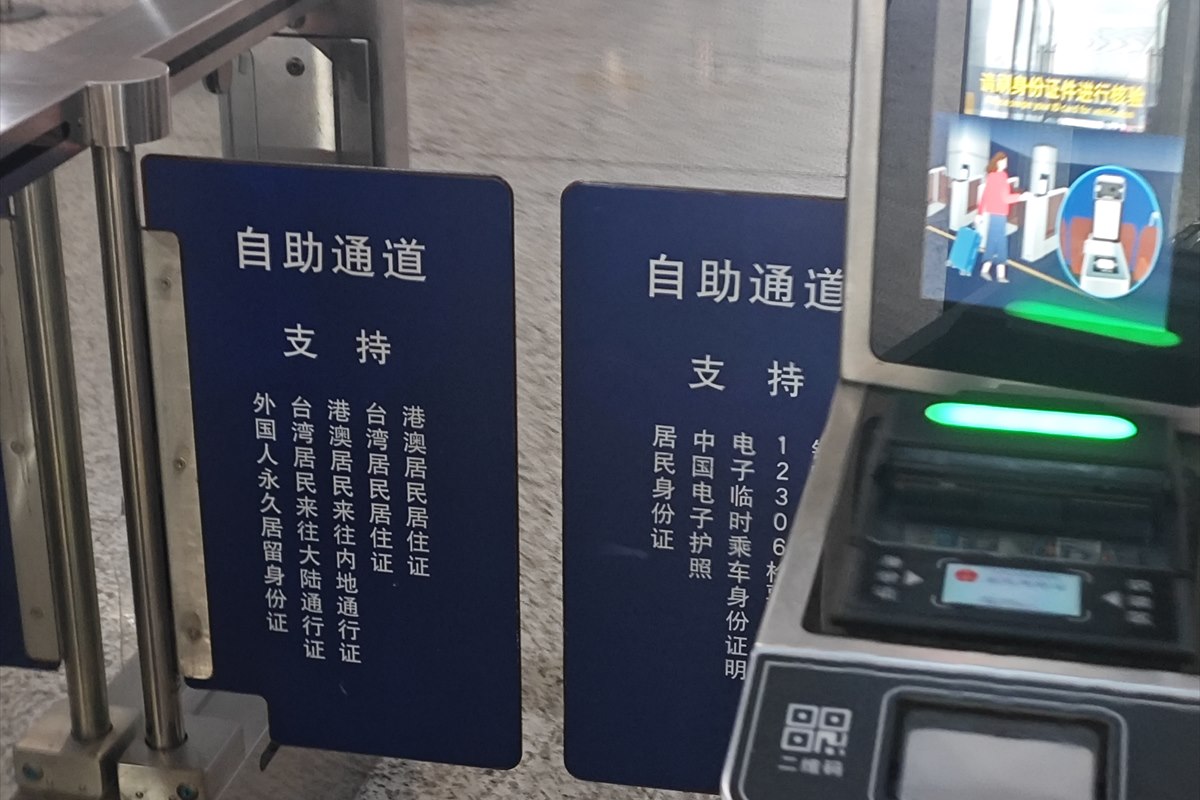
Security inspection — what gets confiscated
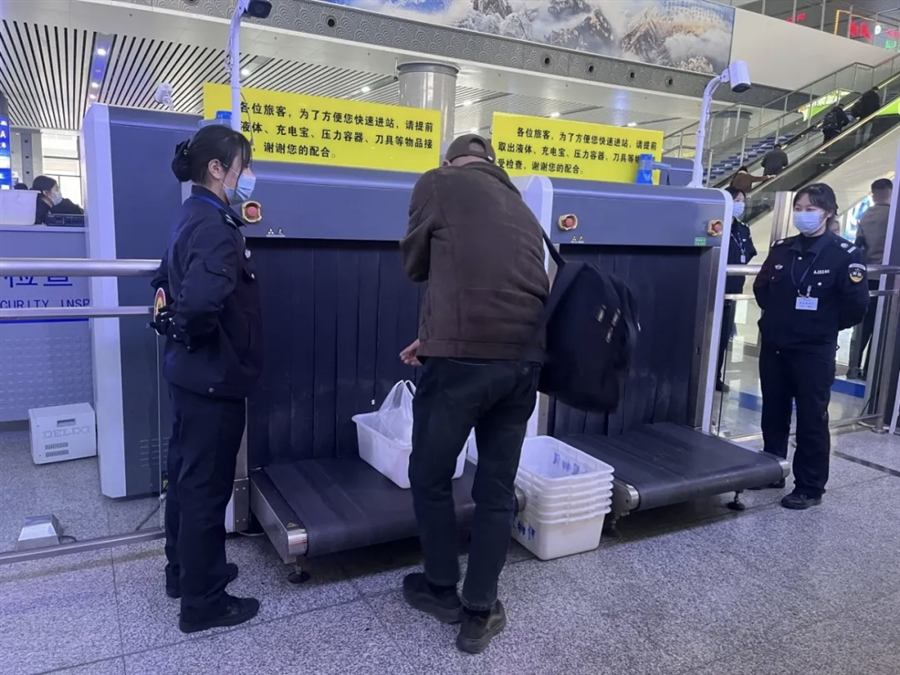
After the ID gate, all bags go through an X-ray scanner and you walk through a metal detector. Chinese rail security is stricter than airport security in a few specific ways:
- Lighters, matches, flammables → confiscated. No exceptions. Buy a new lighter at your destination.
- Knives and sharp tools → confiscated (including cheap folding knives, multi-tools, scissors over 6 cm blade).
- Power banks over 20,000 mAh, or without a clearly printed capacity label → confiscated.
- Pressurized containers (butane canisters, large aerosols, some cosmetics) → confiscated.
- High-proof alcohol over ~56% ABV → confiscated; lower-proof is allowed up to a few bottles.
- Liquids over 100ml → usually allowed for normal beverages, but you may be asked to take a sip from an open bottle to prove it's not flammable.
Finding your platform and boarding
- Walk to your waiting hall / platform. Your ticket in the app shows the hall number (e.g. "5B") and platform.
- At the boarding gate, look for the orange passport machines. Place your passport open on the scanner — the gate opens in ~2 seconds.
- If the gate rejects you, use the manual window (人工窗口) — staff will validate you with booking info + passport.
- Walk down to the platform and find your carriage number (painted on the side of the train and on the platform floor).
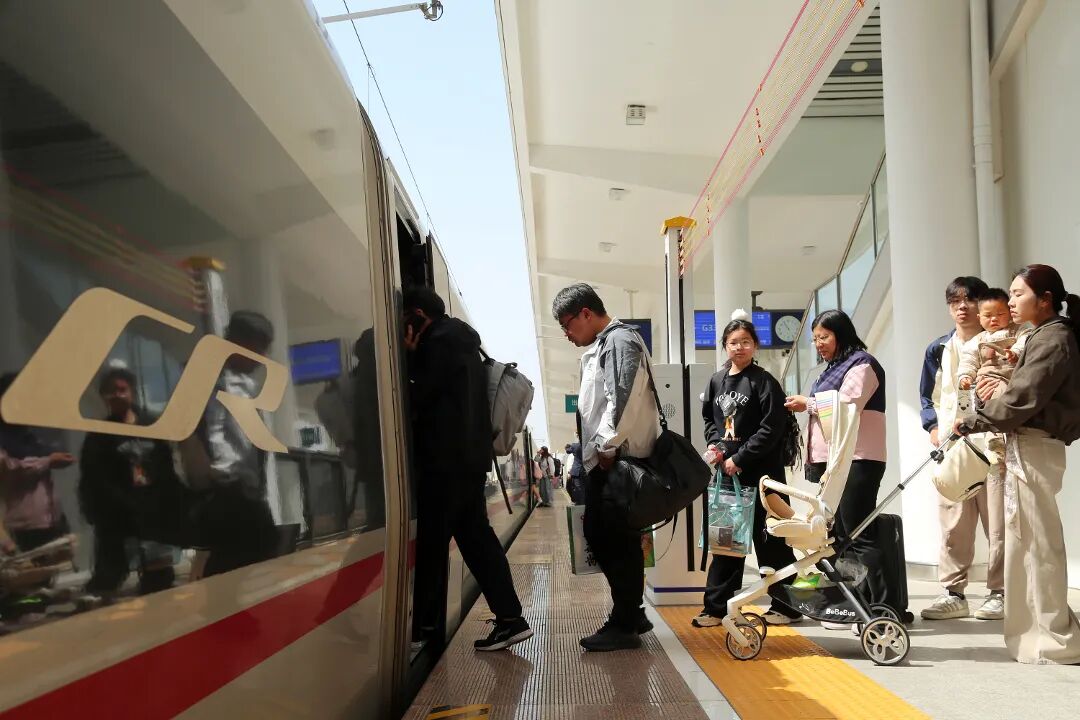
Timing: Boarding starts ~15 min before departure and closes 3 minutes before. Late = no boarding, no refund. Chinese HSR is famously punctual — plan to be at the gate well before the 3-min cutoff.
Cancellations and changes
In the 12306 app, go to My → My Orders → Refund/Change. Refund fees scale with proximity to departure:
- > 15 days before: 5% fee
- 48 h – 15 days: 10% fee
- 24 – 48 h: 20% fee
- < 24 h: 25% fee (and no refund after departure)
Changes are usually free as long as the new train is the same route and seat class and the swap happens more than 48 h out.
When 12306 blocks you
- Card rejected repeatedly: Book that specific ticket through Trip.com (foreign-card checkout rarely fails there) and keep using 12306 for the rest of your trip.
- Account "needs manual review": Often triggered by repeated failed payments. Wait 24 h, then re-try, or route that trip through Trip.com.
- Sold-out: Try "standing ticket" (无座 / Wuzuo) for short trips. For long trips, check neighboring stations — e.g. Beijing West instead of Beijing South, Suzhou North instead of Suzhou.
Not sure whether to wrestle with 12306 or just use Trip.com from the start? See 12306 vs Trip.com — which should foreigners use? for the side-by-side with fees, UX, and the scenarios where each one wins.
Frequently asked questions
- Can I use 12306 without a Chinese phone number?
- Yes. You can register with an email address only. You don't need a +86 phone number — but note that real-name verification asks you to upload a passport photo, and an international mobile number (with country code) is used for the SMS step.
- Will my foreign credit card work on 12306?
- 12306 accepts Visa, Mastercard, JCB and Diners Club on its international payment flow (plus a China UnionPay option, and Alipay/WeChat Pay if you already have them linked). American Express is not accepted. Foreign-card declines are still common on 12306, so if yours is rejected, pay via a linked Alipay/WeChat or book that ticket via Trip.com, which takes foreign cards reliably.
- How long does 12306 identity verification take?
- In 2026 it is largely automated and usually clears within a few minutes; allow up to about 24 hours for the system to sync with immigration records, occasionally a little longer on weekends. Still complete it as soon as you register — an unverified account can browse trains but cannot check out.
- Do I need to print my ticket?
- No. Since 2020, all HSR in China is paperless. Tap your passport at the orange gate at the station — no printing, no collection window.
- What if I can't find my passport-bound ticket at the gate?
- Go to the manual ticket window and show the booking confirmation in the app plus your passport. Staff can manually validate you. Allow 10 extra minutes for this.
Related
- Book China trains on Trip.com — the English booking route if 12306 feels like too much setup.
- 12306 vs Trip.com — side-by-side comparison of the two options.
- China HSR network overview — train classes, station codes, and how the system is structured.
- The interactive China HSR map — plan the route before you book.
- Beijing → Xi'an by train — the most popular route for first-time visitors.
- Chengdu → Chongqing — easy intro: a train every 15 min.